
Table of Contents
- Why Field Data Matters More
- Common Problems With Field Data
- How to Build Better Data Collection Forms
- Why Offline Access Still Matters
- When to Use Photos, Signatures, and Location Details
- Simple Quality Checks That Prevent Rework
- Connecting Field Teams With Office Staff
- Where Automation Saves Time
- Protecting Field Data
- A Practical Rollout Plan
- Metrics to Track After Launch
- Final Thoughts
Operational decisions are only as reliable as the information collected at the job site. Inspection results, service records, safety checks, delivery confirmations, and work orders affect scheduling, billing, compliance, and customer communication. Teams evaluating the best mobile inspection forms oil and gas for enterprise teams should first focus on whether a process helps workers capture complete, usable information without adding unnecessary friction.
A small omission can create a large delay. If a technician documents damaged equipment with a photo, asset number, and location, an office team can order a replacement or schedule follow-up work immediately. Without those details, the same issue may trigger phone calls, duplicate visits, and delayed invoices.
Why Field Data Matters More
Field data is no longer a back-office afterthought. It is the starting point for daily operational choices. When records are clear and available quickly, teams can respond to safety concerns, assign work, confirm completion, and answer customer questions with confidence.
Common Problems With Field Data
Most data issues stem from unclear processes, not a lack of technology. Common obstacles include:
- Handwritten notes that are difficult to read or interpret.
- Missing dates, names, asset numbers, or job references.
- Photos saved without labels or connection to a work order.
- Repeated entry into separate fields, finance, and reporting systems.
- Different crews are using outdated versions of the same form.
Before digitizing a workflow, decide who needs the information, what decision it supports, and who owns the next step.
How to Build Better Data Collection Forms
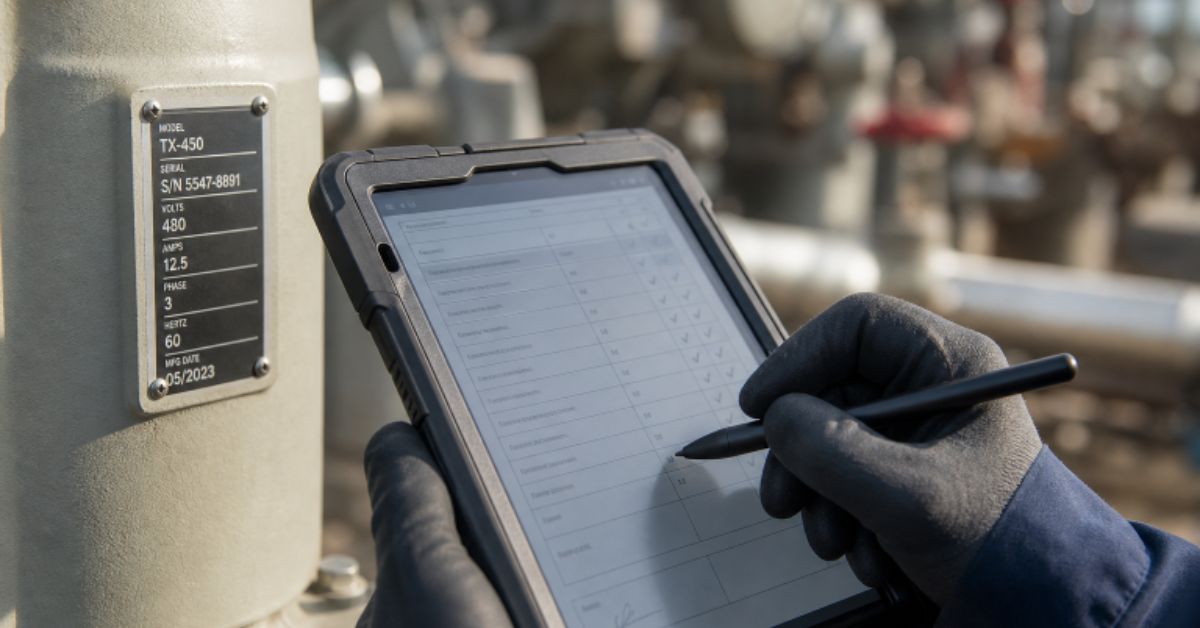
A good form guides the worker through a task and asks only for details that will be used later. Start with the decision the form must support, then remove questions that do not help make that decision.
- Put critical fields near the beginning.
- Use plain language instead of internal jargon.
- Make the required answers obvious.
- Use checkboxes, dates, and controlled lists to reduce typing.
- Keep open text fields for observations that genuinely need explanation.
- Test the form with people who work in real field conditions.
Why Offline Access Still Matters
Connectivity remains unpredictable in basements, industrial facilities, rural sites, remote roads, and large buildings. Workers should be able to open current forms, save records, and attach evidence when a signal is unavailable, then sync safely when service returns. Recent efforts to improve real-time field data collection also show why timely, verifiable site information is valuable for faster decisions.
Ask whether a workflow clearly shows sync status, protects information saved on a device, and handles conflicting edits to the same record.
When to Use Photos, Signatures, and Location Details
Visual and verification fields add context when they serve a clear purpose. Photos can document damage, completed work, equipment labels, or changing site conditions. Signatures can confirm delivery, approval, attendance, or customer acceptance. Location details and time stamps are useful when the exact asset, route, sequence, or response time matters.
Do not require every field for every task. Excessive photo or signature requirements can turn a useful record into a slow, frustrating process.
Simple Quality Checks That Prevent Rework
The best time to catch an error is while the worker can still correct it. Use required fields for critical information, number ranges for measurements, date rules that block impossible entries, and conditional questions that appear only when relevant. Duplicate checks and photo prompts can help with high-risk or high-value work.
Controls should prevent likely mistakes without making routine work harder. If people routinely work around a validation rule, the rule probably needs to be reviewed.
Connecting Field Teams With Office Staff
Field workers, supervisors, dispatchers, finance teams, and customers often need different views of the same record. A dependable flow is simple: assign the correct task, capture findings and evidence, review exceptions, route the record to billing or scheduling, and store the final result in a searchable location.
Every submitted record should have an owner and a next action. Shared visibility prevents completed work from sitting unnoticed in an inbox.
Where Automation Can Save Time
Automation works best for repeatable actions. It can alert a supervisor to a safety concern, route an approved form, create a follow-up task after an inspection failure, update a report, calculate totals, or send a completed record to a customer. It should not replace judgment where safety, cost, or customer needs require a person to review the facts.
Automating a flawed process only distributes flawed data faster, so validate the workflow before connecting it to other systems.
Protecting Field Data
Protecting operational records requires practical controls: role-based access, device locks, approved storage locations, edit histories, rules for lost devices, and retention periods aligned with business and regulatory requirements. Teams in healthcare, government, finance, and safety-sensitive work should also review the requirements specific to their industry.
A Practical Rollout Plan
Start small rather than redesigning every workflow at once. Choose one process that causes regular delays, map who collects and reviews information, create a focused pilot form, and test it in real conditions. Include poor connectivity, busy work areas, and users with different levels of comfort with technology.
After the pilot, review completion time, missing information, follow-up calls, and worker feedback. Improve the form and approval path before expanding to additional teams.
Metrics to Track After Launch
Success is not the number of digital forms completed. Track the average completion time, records returned for missing details, time from field completion to office review, duplicate entries, follow-up calls, and time from completed work to billing. Also measure worker adoption and the number of records completed offline.
Organizations using digital field research face a similar challenge: information is most valuable when it is complete, accessible, and ready to support action.
Final Thoughts
Better operational data does not require a complicated system. Clear forms, useful validation, offline capability, strong ownership, and careful review help teams turn scattered field notes into dependable decisions. The strongest workflows make accurate work easier for the people closest to the job.